How I Built My Data Engineer Website
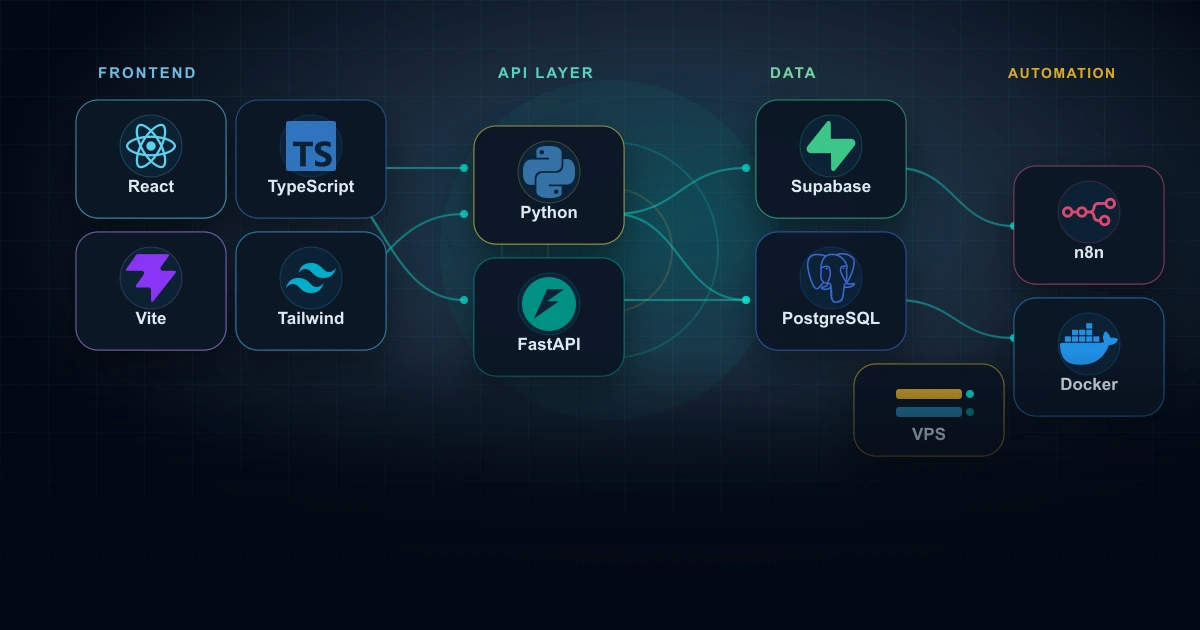
I built my Data Engineer website as I would approach a small technical product: a modern frontend, a backend API, a PostgreSQL database, authentication, storage, automations, a data dashboard, VPS deployment and a serious hardening pass before publishing.
I did not want a simple showcase with a bio and a few projects. I wanted a space that showed how I think: starting from an idea, giving it an architecture, connecting data and content, automating where it makes sense, protecting what should not be public and improving the system over time.
Why I Decided to Build It From Scratch
A portfolio can simply describe what you can do. I wanted the website to demonstrate it through its own structure. That is why I designed it as a living platform: public pages, an admin area, blog, news, projects, image management and bilingual content.
This forced me to make real decisions: how to separate public and private content, how to handle drafts, how to publish in Italian and English, how to validate input, how to protect uploads and how to avoid giving the frontend privileges it should never have.
The Project Architecture
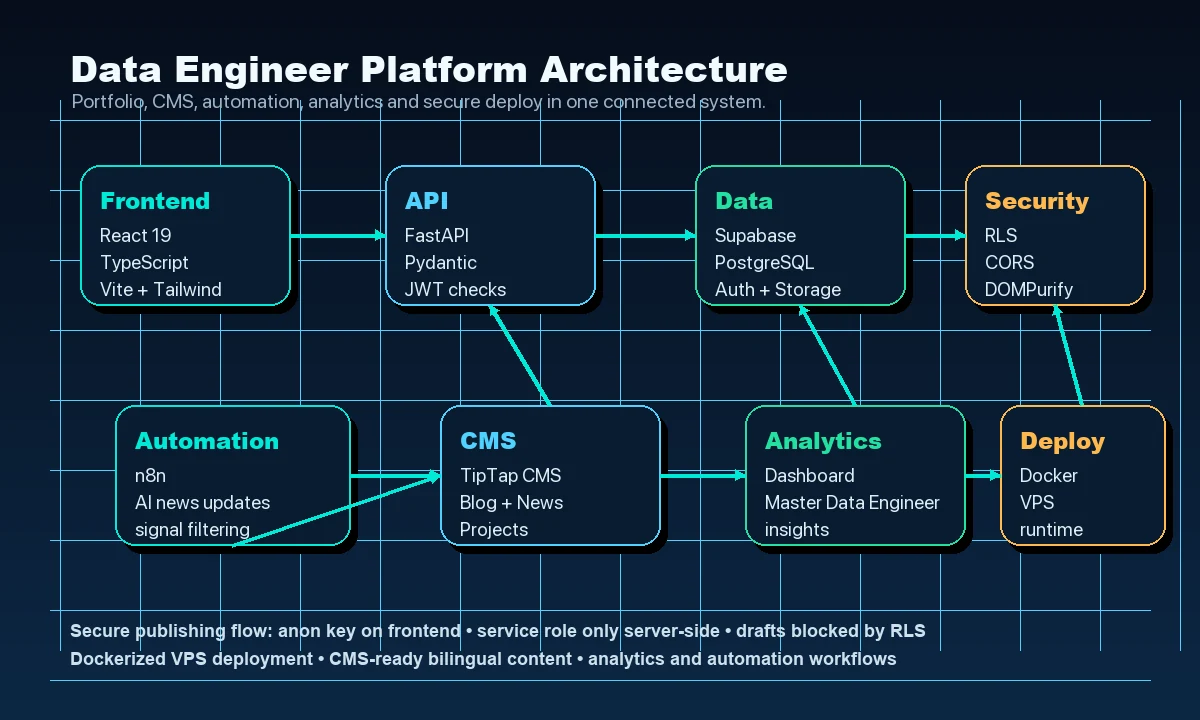
I separated frontend, backend and database to keep boundaries clear: the frontend manages the user experience, FastAPI applies logic and checks, and Supabase stores data, authentication and media.
The Technical Stack
For the frontend I chose React 19, TypeScript, Vite and Tailwind CSS. I wanted an interface that was fast to develop, modular and organized enough to grow without becoming fragile.
For the backend I used FastAPI with Pydantic and REST APIs. The backend is not an accessory: it is where I validate requests, check privileges, handle uploads and keep application logic separate from the public interface.
For data and services I chose Supabase: PostgreSQL as the database, Supabase Auth for sessions and Supabase Storage for images and assets. The frontend only uses the anon key, while privileged operations go through the backend after explicit checks.
The CMS and Blog as a Test Bed
The blog was the first part where the project stopped being just a website and started behaving like an editorial system. I worked on the TipTap editor, cover images, HTML content, slugs, categories, publication states and separate Italian and English versions.
This is where the useful details appeared: an empty slug can break a unique constraint, a draft must not be visible outside the admin, HTML content has to be sanitized, a media library must read from the right bucket and a published post must stay consistent across API, database and frontend.
AI News Automations With n8n
I am using n8n to receive and organize updates about artificial intelligence news. I want a workflow that collects signals, sources and updates in an organized way, because staying informed is not only about reading a lot: it is about building a process.
This part is very close to Data Engineering: orchestration, sources, transformation, filters, human review and publishing. It is a small workflow, but it follows the same logic as a pipeline.
Data Dashboard and My Data Engineer Path
I also planned a dashboard to analyze data and visualize insights using technologies and concepts I am studying in the Data Engineer Master. For me, it is a concrete way to turn study into practice: datasets, metrics, pipelines, visualization and data-driven thinking.
The website becomes a learning environment too: not only a place to show finished results, but a space where I can connect study, experiments and measurable content.
Docker Deployment on a VPS
I containerized the project with Docker and deployed it on a VPS. This step mattered because it moved me beyond “it works locally” and into more concrete topics: environment variables, services, configuration, stability and running an application on a real machine.
It is not the most visible part for someone reading the website, but it is one of the most educational parts for the person building it.
Security, RLS and Pre-Publication Checks
The hardening phase was one of the most useful parts. We checked dependencies, sensitive files, CORS, security headers, tokens, XSS, uploads, public endpoints and protected endpoints. Most importantly, we separated authenticated users from admin users more clearly.
On Supabase I worked on RLS policies to make sure draft, pending or unpublished content could not be read directly through the anon key. The principle I keep from this is simple: the frontend can filter, the backend can check, but the database should still defend itself with its own rules.
What I Learned
This project represents me because it brings together the things I care about most: data, backend systems, automation, security, deployment and continuous learning. Every choice opened a new question, and every issue fixed made the system a little more solid.
The website will keep evolving with my path as a Data Engineer. I want to use it to share projects, experiments, technologies I study and solutions I build, always with the same approach: curiosity, method and the desire to really understand how things work.